TL;DR
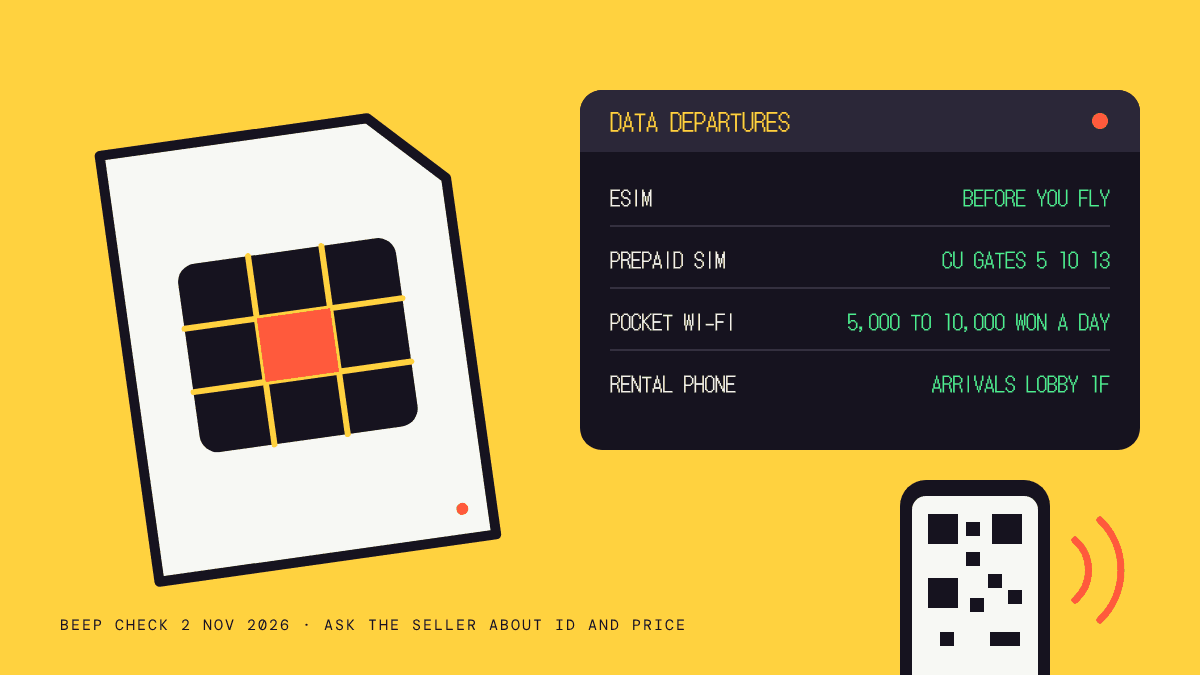
You have four ways to get data in Korea: an eSIM you install before you fly, a prepaid SIM you buy online and collect at the airport (or buy in a shop), a pocket Wi-Fi router, or a rental phone. If your phone is unlocked and supports eSIM, install one before you leave home. If it does not, pick up a physical SIM at Incheon Airport.
Last checked: 2 Nov 2026 What is a Beep Check?
Sunbae Says: Sort your data before you board, not after you land. In Korea your phone is your map, your translator and your taxi app, so being offline on day one costs you more than any plan will.
Naver Map, Papago and the taxi apps in our apps guide all need a connection. This page covers the ways to get one.
Which Option Fits You
| Option | What you need | Where you get it | Best for |
|---|---|---|---|
| eSIM | An eSIM compatible, carrier unlocked phone | Buy online, scan a QR code | Most travellers with a recent phone |
| Prepaid SIM | A phone that takes a physical SIM | Buy online and collect at the airport, or buy at the airport or a convenience store | Older phones, or if you want a backup |
| Pocket Wi-Fi | Reserve online | Pick up at the telecom desks at the airport | Groups sharing one connection |
| Rental phone | Passport and a credit card | Incheon Airport arrivals lobby | Short trips with no compatible phone |
Visit Seoul is the source for the details below. Its page carries no date, so check prices and opening hours with the seller before you commit.
eSIM
An eSIM is delivered online and installed by scanning a QR code, which can arrive by email. Visit Seoul says you need a carrier unlocked, eSIM compatible device and that many smartphones released after 2019 support eSIM.
Two checks before you buy: confirm that your phone is unlocked by your home carrier, and confirm that it supports eSIM. Install the plan while you still have home Wi-Fi, because you need a connection to scan and activate it.
Prepaid SIM Card
You can buy online and collect at Incheon Airport, buy at the airport, or buy at convenience stores around Seoul such as CU, 7-Eleven and GS25. Visit Seoul lists these airport outlets at Incheon:
- CU stores near Gates 5, 10 and 13, open 24 hours.
- A bookstore near Gate 7, open 08:00 to 20:00.
- The AREX Transportation Center on Level B1, which sells data only SIMs from 09:00 to 19:00.
At Gimpo Airport, 7-Eleven on the 3rd floor of the International Terminal is open 24 hours. Visit Seoul does not state prices or ID requirements, so ask the seller what you need to bring. LG U+ also runs an English Korea SIM page with an Incheon Airport pickup option.
Pocket Wi-Fi
Reserve online in advance and pick up at the KT and SK phone rental desks at Incheon and Gimpo airports. Visit Seoul lists a price of 5,000 to 10,000 won a day. Other rental agencies sit in Seoul Station, Insa-dong and Myeong-dong. A router suits a group that wants one shared connection, but you have one more device to charge and return.
Rental Phone
The rental desks are in the 1st floor arrivals lobby at Incheon (open 24 hours) and the international terminal at Gimpo (07:00 to 23:00). Visit Seoul lists LG, SK and KT as the carriers, and says you need your passport and a credit card. Return the phone to the same counter where you rented it. Rental phones suit someone with no compatible phone who also wants a Korean number.
Free Wi-Fi
Visit Seoul counts nearly 10,000 free hot spots across Seoul, in public service centres, transit centres, airports, libraries and many tourist spots, and notes that most hotels, shops, cafés and restaurants offer it too. Treat it as a backup. You cannot navigate by it, because you lose it the moment you walk out the door.
How To Choose
- Phone from the last few years and unlocked: an eSIM, installed before you fly.
- Older phone or locked to your carrier: a physical SIM from the airport, or a rental phone.
- A group sharing one connection: pocket Wi-Fi.
- Not sure whether your phone is locked: ask your home carrier before you leave. It is a short call and saves you queuing at an airport counter.
First Hour After Landing
Once you are online, you can check your route in the Incheon Airport to Seoul guide and open the apps you installed. If you have not already, check which transit card suits your trip before you buy one at the station.
Frequently Asked Questions
Can I Use My Home Phone Plan In Korea?
Many carriers offer roaming, but the price varies a lot. Ask your carrier before you fly. An eSIM or prepaid SIM is often easier to compare.
Do I Need A Passport To Get A SIM Or Rental Phone?
For a rental phone, Visit Seoul says you need your passport and a credit card. For SIMs, ask the seller what they need.
Which Phones Support eSIM?
Visit Seoul says many smartphones released after 2019 do. Check your phone’s settings or your carrier, and make sure it is unlocked.
Is There Free Wi-Fi In Seoul?
Yes, in many public places and in most hotels, shops, cafés and restaurants. It is a good backup, not a replacement for mobile data.
Next Stop
- Incheon Airport To Seoul: train, bus or taxi once you are online.
- Korea Travel Apps: the five apps to install before you land.
- Money In Korea: cards, cash and ATMs.
Resources
- Visit Seoul: Phone and Internet: rental, SIM, eSIM and Wi-Fi basics.
- LG U+ Korea SIM: English page with an Incheon Airport pickup option.
- Korea Travel Hotline 1330 (+82-2-1330 from abroad): English help 24 hours a day.
How I Checked This
On 2 Nov 2026 I checked the rental, prepaid SIM, eSIM, pocket Wi-Fi and free Wi-Fi details against Visit Seoul’s Phone and Internet page. Still unconfirmed: current plan prices, whether a passport is needed for a prepaid SIM, and the current opening hours of each airport outlet. This page recommends no particular plan or seller, and I earn nothing from any of them.
Sources
Written by your sunbae. Over 20 years in Korea. We learned the lessons the hard way, so you don’t have to, and we’re here to guide you and help you enjoy Korea. Every fact here is checked against official sources and, wherever possible, on the ground.
Beep Check: verified 2 Nov 2026. Rules, prices and dates change; confirm with the official source before you travel.